
Screenshots
About Lock Screen
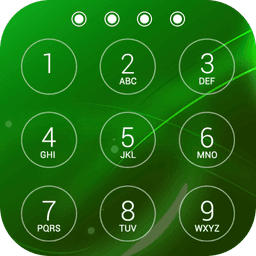
Secure your Android phone with a lock screen keypad that puts protection in your hands. Lock Screen by highsecure makes device security simple, offering an intuitive passcode system that keeps unauthorized users out while letting you stay in complete control.
Take charge of your security with customizable protection. Set up a strong passcode in just two steps—enable the lock screen and create your password. Toggle protection on or off instantly with a single click, giving you flexibility when you need it. If your power button is damaged, sticking, or you simply want an extra layer of protection, Lock Screen delivers a convenient solution without the frustration.
Make your lock screen uniquely yours. Choose from a collection of beautiful built-in wallpapers, or personalize it by selecting any photo from your gallery to set as the background image. Every time you unlock your device, you'll see a design that reflects your style.
Enjoy a screen off shortcut that works when you need it most. Create a dedicated home screen icon to turn off your display and lock your phone instantly—perfect for preserving battery life or securing your device on the go. Simply enable the shortcut feature, accept the requested permissions, and tap whenever you want instant lockdown.
Lock Screen is designed to work seamlessly without interfering with your home button, ensuring smooth navigation alongside robust security. The intuitive interface means anyone can set it up and use it immediately, with no complicated steps or technical knowledge required.
Pros & Cons
Pros
- Customizable passcode protection with simple two-step setup
- Personalize lock screen with gallery photos or built-in wallpapers
- Quick screen-off shortcut icon for instant device lockdown
- Toggle protection on or off instantly without reinstalling
Cons
- Requires permission grants for screen-off shortcut to function
- May conflict with or duplicate your device's native lock screen
- No mention of biometric unlock options like fingerprint or face recognition
- Third-party lock screen replaces system security—should not be sole protection method
Frequently asked questions about Lock Screen
Is Lock Screen safe to download?
A malware scan report for this version of Lock Screen is not available on Unstore yet. Only install files from sources you trust and keep your device's security protection turned on.
What are the system requirements for Lock Screen?
Lock Screen runs on Android. It requires Android 6.0 (Marshmallow) or later. The download size is 15.8 MB.
What is the latest version of Lock Screen?
The latest version of Lock Screen on Unstore is 1.9.7. It was last updated on May 22, 2026.
Who develops Lock Screen?
Lock Screen is developed by highsecure.
Related Apps

AlienGUIse
Desktop themes and manager for Windows — transform your system with 5 futuristic designs.

SharpKeys
Remap keyboard keys to launch apps, media controls, and custom commands on Windows.

RocketDock
Desktop launcher for Windows — quick access dock with customizable icons and positioning.

Custom Resolution Utility (CRU)
Display resolution utility: Create custom resolutions for your monitor with precise refresh rate control.

Lagguy Wallpapers
Lagguy
4K & HD wallpapers for Android — minimal, abstract, nature, AMOLED designs with lifetime access

Lock Screen OS
Apps Genz
Customize your lock screen with widgets, photos, and notifications. Replace Android's default lock screen.
Latest Articles

Play a free Poly Bridge-style bridge builder in your browser (no download)
Nov 14, 2026

Play a free Balatro-style poker roguelike in your browser (no download)
Nov 14, 2026

GarageBand for Android or Chromebook? A free music studio in your browser
Nov 14, 2026

FlipaClip for PC or Chromebook? We built a free animation maker that runs in your browser
Nov 14, 2026

Play a free Color Ball Sort Puzzle-style game in your browser (no download)
Oct 6, 2026